
The IPTV Player
for M3U & Xtream
EDGE IPTV turns your iPhone and iPad into a streaming hub for live TV, movies and series. A live TV guide, Picture in Picture, offline downloads, and one-tap Chromecast and AirPlay casting.
Why choose EDGE IPTV?
Built for performance and for the way iOS works. See how it compares to the other IPTV players on iPhone and iPad.
M3U & Xtream ready
Paste an M3U link or your Xtream credentials and the catalogue loads. No manual channel setup.
Live TV guide
An EPG grid shows what is on now and what follows, so you can plan the evening at a glance.
Chromecast & AirPlay
Send a channel, a film or an episode to the television in one tap, without leaving the app.
Picture in Picture
Keep watching in a floating window while you browse the catalogue or use another app.
Offline downloads
Save films and episodes to the device and watch them with no connection at all.
Seven languages
The whole interface is translated, so the app reads as if it were written for you.
Designed for simplicity
An interface that puts your content first and stays out of the way.
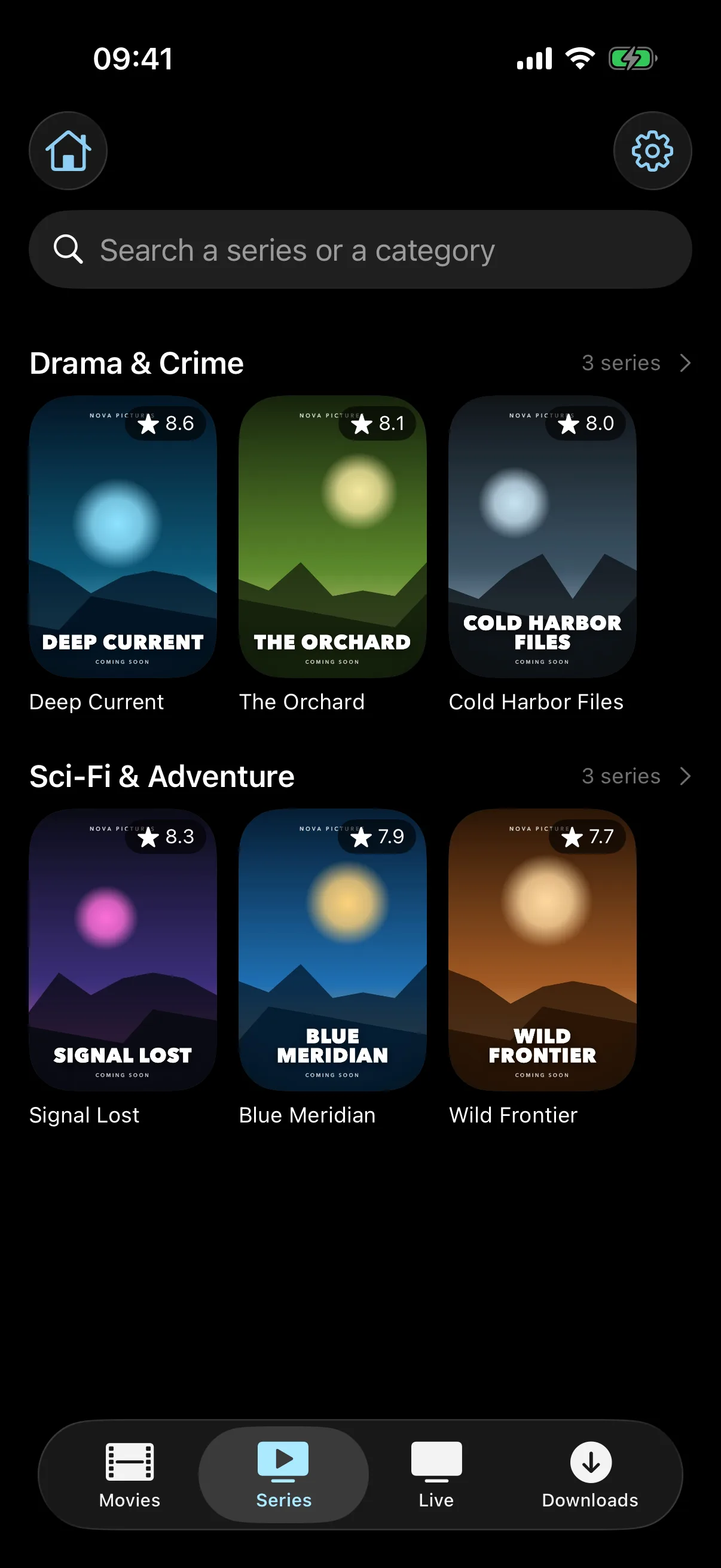
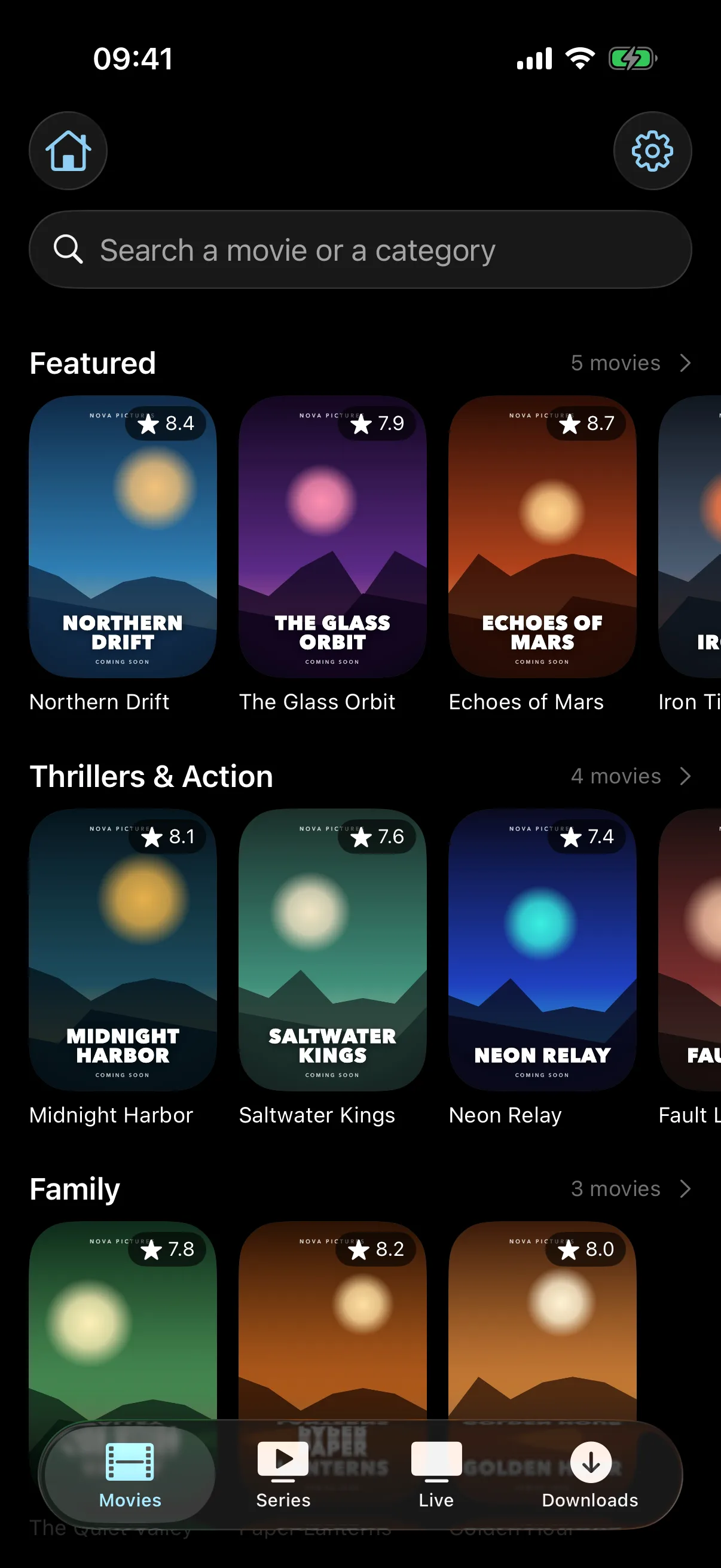
Organised content
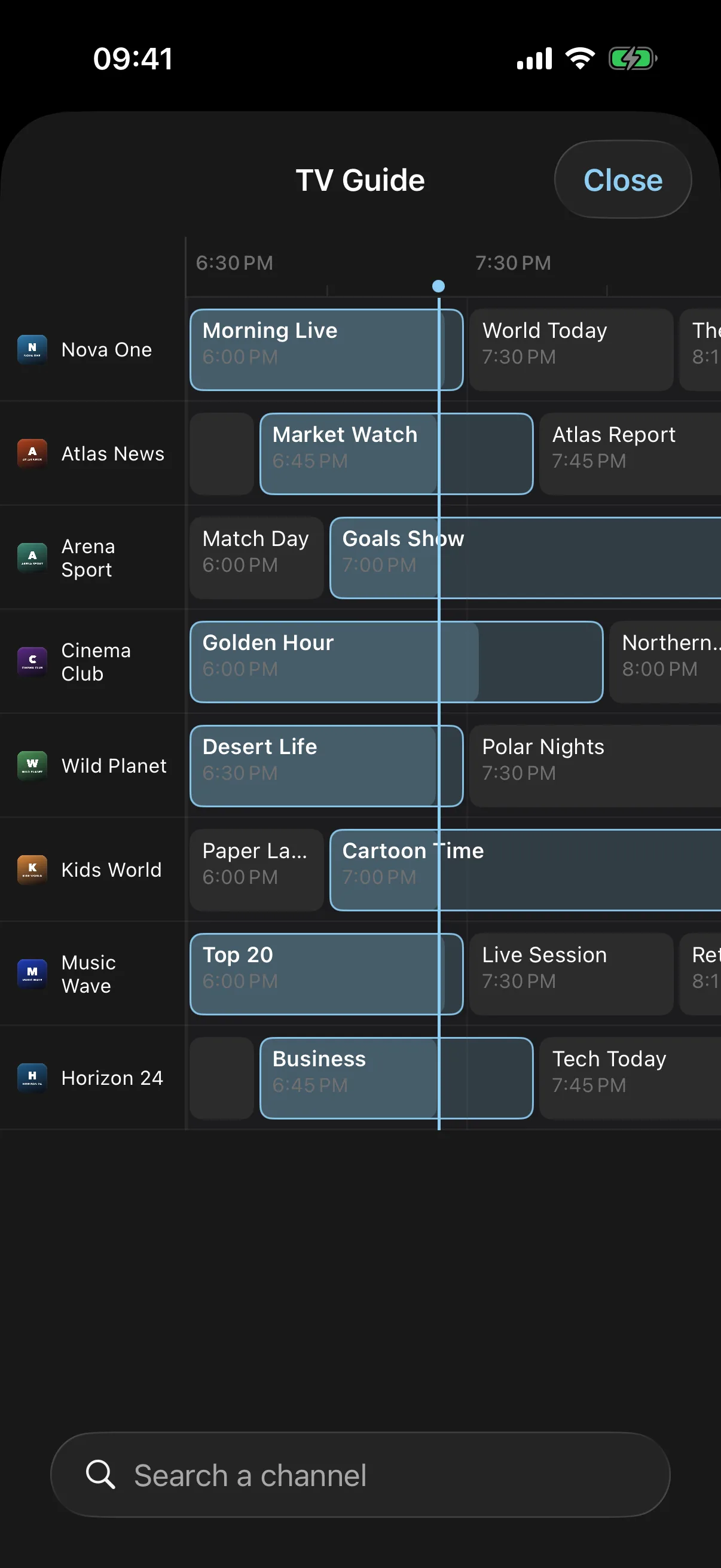
Live TV guide
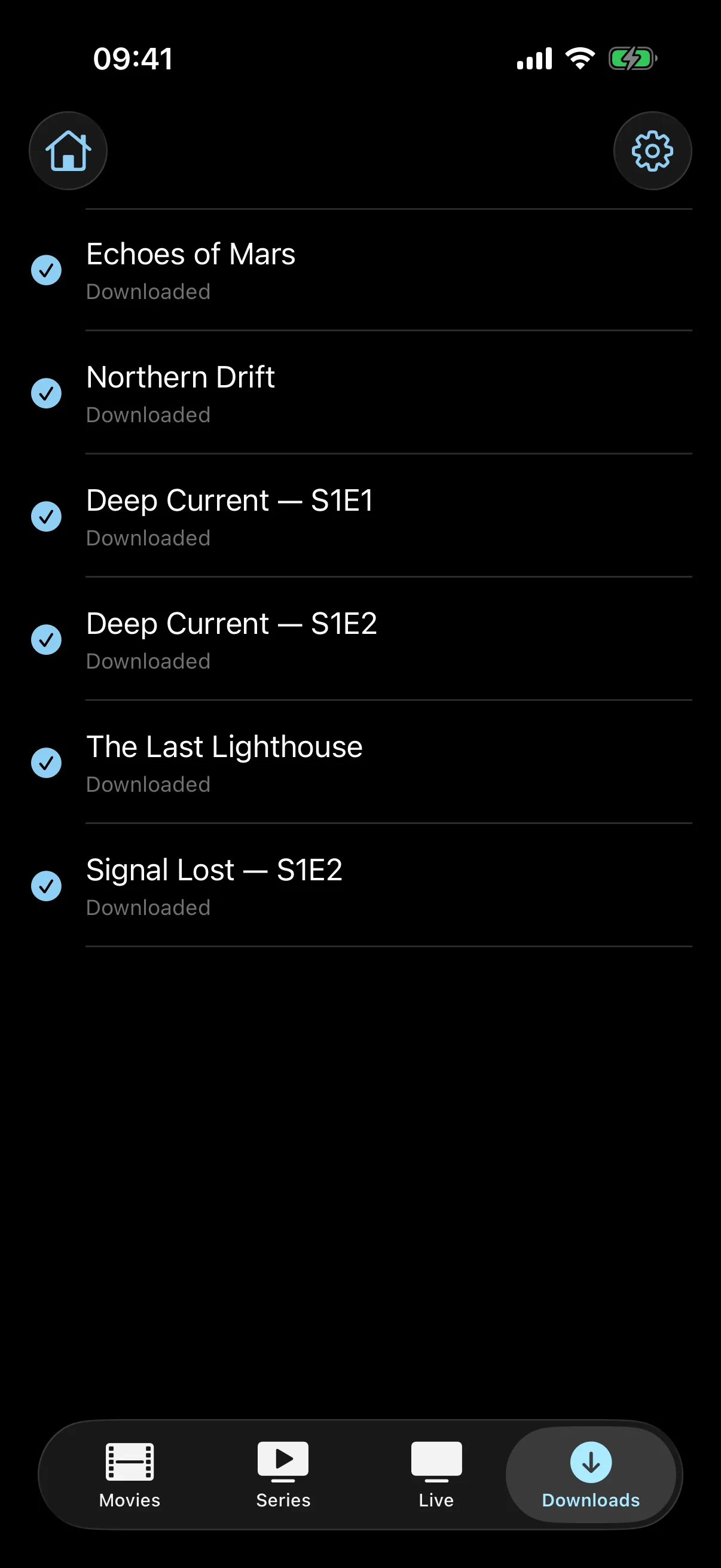
Offline downloads
Built for the iPad screen, not just stretched onto it
EDGE IPTV is a universal app: one subscription covers your iPhone and your iPad. On the larger screen the layout changes rather than scaling up: posters are drawn at nearly twice the size, and a show sits next to its episode list instead of below it.
- A TV guide with room to breatheThe EPG grid shows far more of the schedule at once on an iPad, so you can scan the evening without scrolling channel by channel.
- Picture in PictureKeep a channel playing in a corner while you answer a mail or look something up, on iPad and iPhone alike.
- Send it to the TVCast to a Chromecast or AirPlay to an Apple TV straight from the player, without leaving the app.
Requires iPadOS 17 or later: iPad Pro (2nd generation), iPad Air (3rd generation), iPad (6th generation) and iPad mini (5th generation) or newer.
How to set up IPTV on your iPad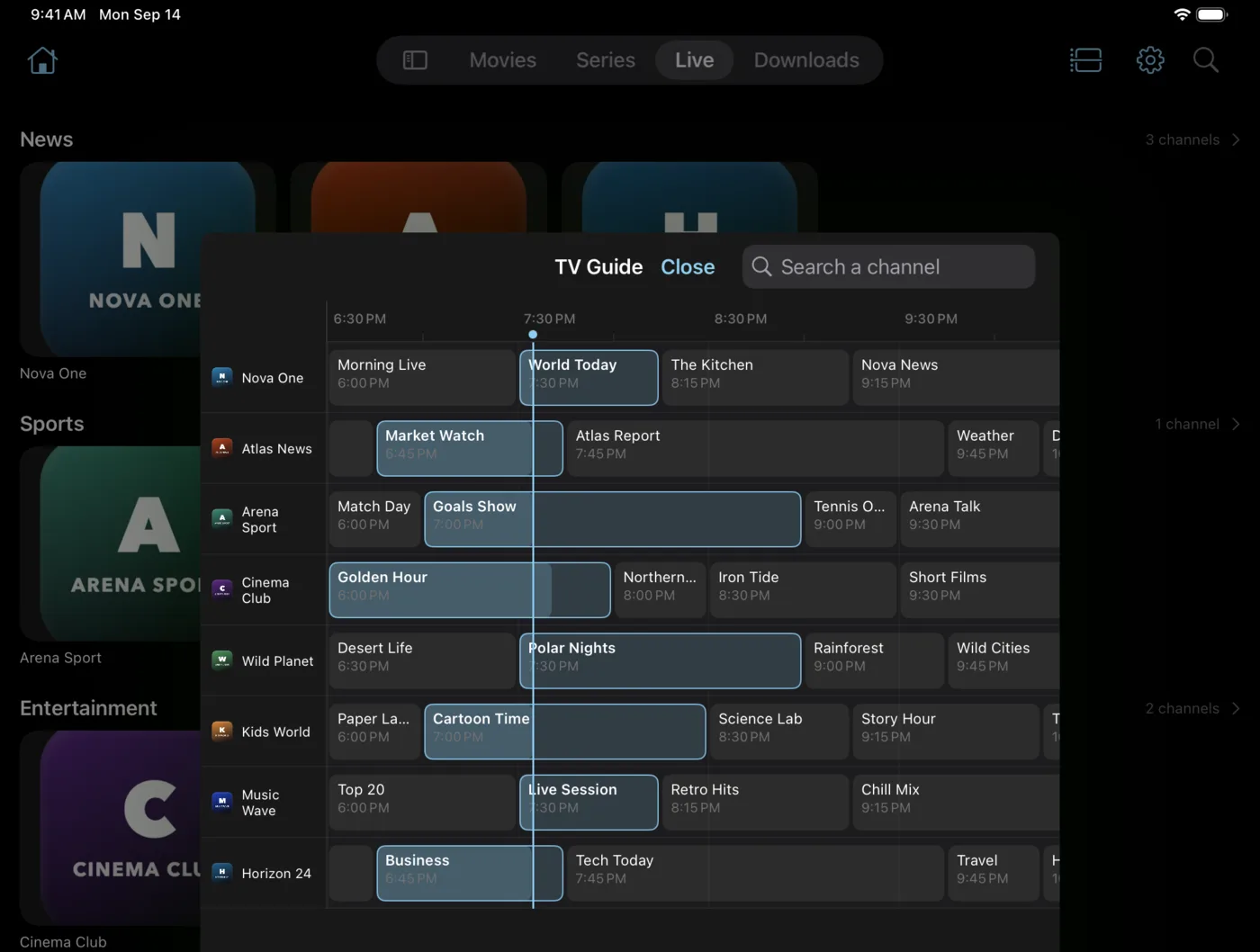
What is EDGE IPTV?
EDGE IPTV is an IPTV player built for iPhone and iPad. It does not sell or host any content: you bring your own subscription from an IPTV provider, as an M3U playlist or Xtream credentials, and the app turns it into a catalogue you can actually browse.
Setup is the part most players get wrong. Here it is one screen: paste your link or your credentials, and channels, films and series appear sorted into categories, with artwork and a programme guide where your provider supplies one.
Playback runs on a hybrid engine that falls back to VLC for formats Apple's own player refuses, which is what lets awkward streams play at all. Chromecast, AirPlay, Picture in Picture and offline downloads are included rather than sold separately.
The app is free to download and comes with a 7-day free trial. After that, watching requires a subscription at $3.99 a month or $19.99 a year. There are no adverts at any point.
Ready to start streaming?
Set up your playlist in about two minutes. Follow the step-by-step guide if you would rather read it first.
Start your 7-day free trialFree to download. Requires iOS 17.0 or later, on iPhone and iPad.