Looking for the best IPTV player for your iPhone or iPad in 2026? We've tested the top 7 apps to help you choose the perfect streaming solution. Whether you need Chromecast support, offline viewing, or the fastest Xtream codes setup, this comprehensive guide has you covered.
Our Top Pick: EDGE IPTV
EDGE IPTV
Our pickThe most complete IPTV player for iOS with lightning-fast Xtream codes setup, full Chromecast integration, and offline viewing capabilities.
Comparison Table: Top 7 IPTV Players
| App Name | Rating | Price | Chromecast | Offline | Setup Time |
|---|---|---|---|---|---|
| EDGE IPTV | New | $3.99/mo | ✓ | ✓ | 2 min |
| GSE Smart IPTV | ★ 4.5 | $4.99 | ✓ | ✗ | 5 min |
| IPTV Smarters Pro | ★ 4.3 | Free | ✗ | ✓ | 4 min |
| Ibo Player | ★ 4.1 | Free | ✗ | ✗ | 5 min |
| VLC for Mobile | ★ 4.7 | Free | ✗ | ✗ | 10 min |
| iPlayTV | ★ 4.2 | $3.99 | ✓ | ✗ | 6 min |
| Lazy IPTV | ★ 4.0 | Free | ✗ | ✗ | 8 min |
| IPTV Player Pro | ★ 3.8 | $2.99 | ✗ | ✗ | 7 min |
Detailed Reviews
1. EDGE IPTV - Best Overall
EDGE IPTV takes the #1 spot for 2026 with its unbeatable combination of features, ease of use, and performance. The app sets a new standard for IPTV streaming on iOS devices.
Key Features:
- Lightning-Fast Setup: Configure Xtream codes in under 2 minutes with our streamlined interface
- Full Chromecast Integration: Cast to any TV with one tap - movies, series, and live channels
- Offline Downloads: Save content for viewing without internet connection
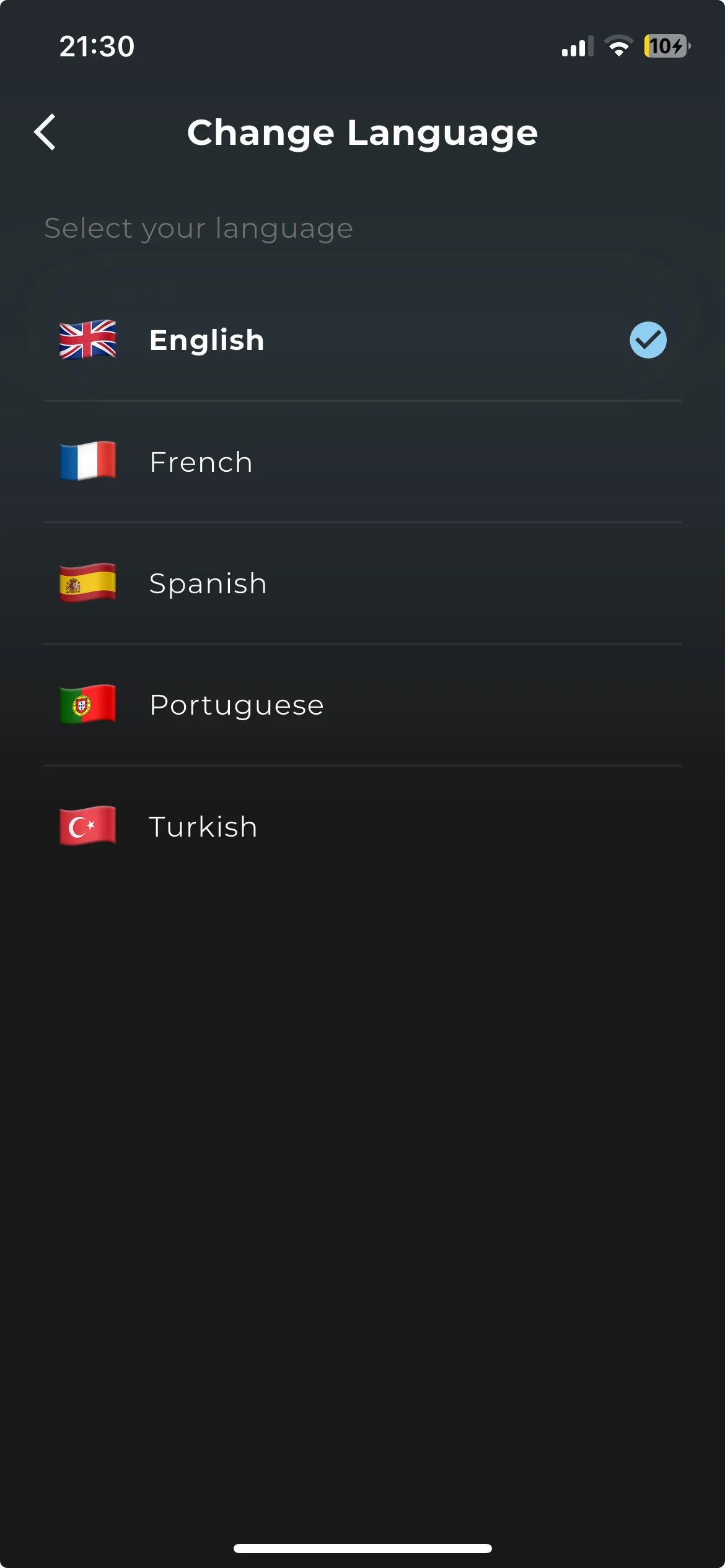
- Multilingual Interface: Available in English, French, Spanish, Portuguese, and Turkish
- EPG Support: Full electronic program guide with channel schedules
- Favorites Management: Organize your channels and content easily
Pros:
- No ads, and every feature included in the subscription
- Fastest Xtream codes configuration on the market
- Perfect Chromecast integration
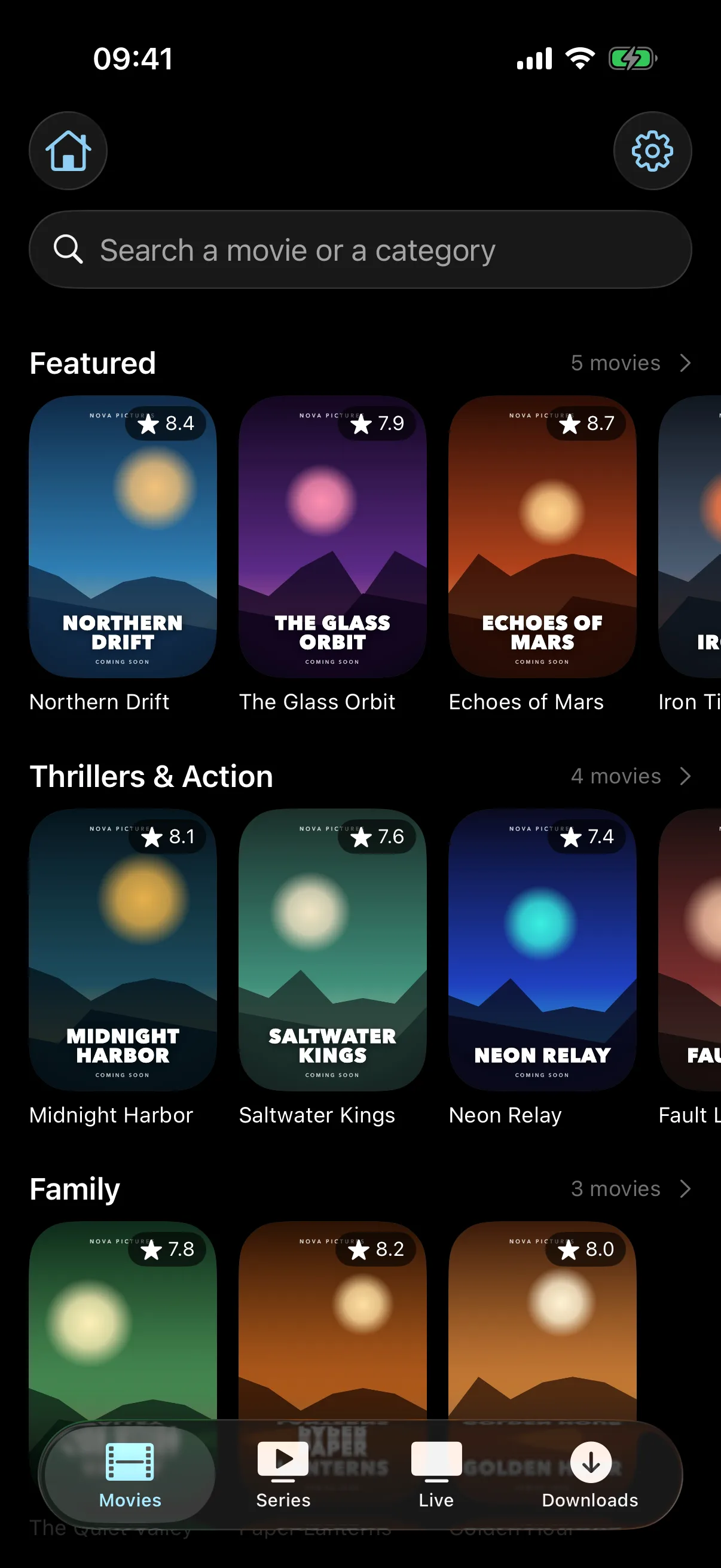
- Clean, modern interface optimized for iOS
- Regular updates and excellent stability
Cons:
- Requires iOS 17.0 or later (not compatible with older devices)
Best For:
Users who want the most complete, hassle-free IPTV experience with Chromecast and offline viewing.
2. GSE Smart IPTV ★ 4.5
GSE Smart IPTV is a solid alternative with advanced features for power users. While it costs $4.99, it offers extensive customization options.
Pros: Advanced playback controls, parental controls, multiple playlist support
Cons: No offline downloads, complex interface for beginners, paid app
Best For: Advanced users who need extensive customization
3. IPTV Smarters Pro ★ 4.3
IPTV Smarters Pro is one of the most popular IPTV apps, but its dated interface and cluttered design make it feel outdated compared to modern alternatives like EDGE IPTV.
Design & Interface Issues:
- Outdated Visual Design: The interface looks like it's from 2020 with basic flat colors and no modern iOS design elements
- Cluttered Navigation: Too many menus and submenus make finding content confusing
- Poor Typography: Small fonts and cramped spacing reduce readability
- Inconsistent UI: Different sections use different design patterns
- No Dark Mode Support: Missing native iOS dark mode integration
Comparison with EDGE IPTV:
| Feature | EDGE IPTV | Smarters Pro |
|---|---|---|
| Modern iOS Design | ✓ | ✗ |
| Intuitive Navigation | ✓ | ✗ |
| Dark Mode | ✓ | ✗ |
| Chromecast Support | ✓ | ✗ |
| Setup Time | 2 min | 4 min |
| Ads | None | Yes |
Pros: Free, offline downloads, large user base, regular updates
Cons: Outdated design, cluttered interface, no Chromecast, ads in free version, complex navigation, no dark mode
Verdict: While functional, Smarters Pro feels like a legacy app. EDGE IPTV offers a much more polished, modern experience with better features.
4. Ibo Player ★ 4.1
Ibo Player is another popular choice, but it suffers from a confusing interface and poor design choices that make it frustrating to use daily.
Design & Usability Problems:
- Confusing Layout: The main screen is cluttered with too many options and unclear icons
- Poor Color Scheme: Uses harsh colors that strain the eyes during long viewing sessions
- Small Touch Targets: Buttons are too small and close together, causing accidental taps
- Overwhelming Settings: Configuration menu has dozens of cryptic options that confuse beginners
- Non-Standard UI Elements: Doesn't follow iOS design guidelines, feels like an Android port
- Slow Loading: Channel lists take 5-10 seconds to load even with good internet
Side-by-Side with EDGE IPTV:
✓ EDGE IPTV Experience
- • Opens instantly to clean home screen
- • Large, clear channel thumbnails
- • One-tap access to favorites
- • Smooth scrolling and animations
- • Intuitive gesture controls
- • Beautiful dark mode
- • 2-minute setup wizard
✗ Ibo Player Experience
- • Slow startup with loading screen
- • Tiny channel icons hard to see
- • Favorites buried in menus
- • Laggy scrolling on long lists
- • Confusing gesture system
- • Harsh bright theme only
- • 5+ minute complex setup
Real User Feedback:
"I switched from Ibo Player to EDGE IPTV and it's night and day. Ibo felt like work to use - constantly hunting through menus and dealing with tiny buttons. EDGE just works beautifully." - App Store Review, Dec 2025
Pros: Free, supports multiple playlists, EPG support
Cons: Confusing interface, poor design, slow performance, no Chromecast, complicated setup, non-intuitive navigation, outdated look
Verdict: Ibo Player has too many usability issues. EDGE IPTV delivers a vastly superior user experience with modern design and intuitive controls.
5. VLC for Mobile ★ 4.7
VLC is a versatile media player that can handle IPTV playlists, but it's not optimized for IPTV streaming specifically.
Pros: Free, plays almost any format, reliable
Cons: Not IPTV-focused, no Chromecast, complex M3U setup, no EPG
Best For: Users who already use VLC and want basic IPTV playback
6. iPlayTV ★ 4.2
iPlayTV offers Chromecast support but charges $3.99 and lacks offline viewing capabilities.
Pros: Chromecast support, clean design
Cons: Paid ($3.99), no offline mode, slower setup
Best For: Users willing to pay for Chromecast-only solution
How to Choose the Right IPTV Player
When selecting an IPTV player for your iPhone or iPad, consider these key factors:
1. Xtream Codes Support
In 2026, Xtream codes are the industry standard. Choose a player with fast, easy Xtream setup. EDGE IPTV leads here with 2-minute configuration.
2. Chromecast Integration
If you want to watch on your TV, Chromecast support is essential. Only EDGE IPTV, GSE Smart IPTV, and iPlayTV offer this in our comparison.
3. Offline Viewing
For travel or limited data plans, offline downloads are crucial. EDGE IPTV and IPTV Smarters Pro are your best options.
4. User Interface
A clean, intuitive interface saves time and frustration. EDGE IPTV offers the most modern, iOS-native experience.
5. Price vs Value
EDGE IPTV costs $3.99 per month or $19.99 per year after a 7-day free trial, which puts it in the same bracket as the paid players here. The difference is what the price covers: every feature is included, with no ads and no separate unlock for Chromecast or offline downloads.
Design Matters: Why EDGE IPTV Stands Out
After testing dozens of IPTV apps, one thing is clear: design and user experience separate the best from the rest. While apps like IPTV Smarters Pro and Ibo Player offer basic functionality, their outdated interfaces and confusing navigation make daily use frustrating.
The EDGE IPTV Design Advantage:
Modern iOS Design
Built specifically for iOS with native design patterns, smooth animations, and perfect dark mode. Feels like a premium Apple app.
Lightning Fast
Instant loading, smooth scrolling, no lag. While Ibo Player takes 5-10 seconds to load channels, EDGE loads instantly.
Intuitive Navigation
Everything is where you expect it. No hunting through menus like Smarters Pro. One-tap access to favorites, channels, and settings.
Design Comparison: The Details Matter
| Design Element | EDGE IPTV | Smarters Pro | Ibo Player |
|---|---|---|---|
| Interface Style | Modern, iOS native | Dated, generic | Confusing, cluttered |
| Dark Mode | Perfect iOS integration | None | None |
| Button Size | Large, easy to tap | Adequate | Too small |
| Typography | Clear, readable | Small, cramped | Inconsistent |
| Loading Speed | Instant (<1s) | Moderate (2-3s) | Slow (5-10s) |
| Navigation Logic | Intuitive, simple | Too many menus | Confusing structure |
| Overall Feel | Premium, polished | Outdated, basic | Frustrating, complex |
Why This Matters
You'll use your IPTV app daily - maybe for hours. A poorly designed app like Ibo Player or Smarters Pro adds friction to every interaction. You'll waste time hunting for buttons, dealing with lag, and squinting at small text. EDGE IPTV eliminates all that frustration with a beautifully designed, fast, and intuitive interface that makes streaming a pleasure, not a chore.
Conclusion: Why EDGE IPTV Wins in 2026
After extensive testing, EDGE IPTV is the clear winner for iOS users in 2026. Here's why:
- One price, everything included: no ads, and no feature held back behind a second purchase
- Fastest Setup: 2-minute Xtream codes configuration
- Best Features: Chromecast + offline viewing in one app
- Modern Design: Beautiful, iOS-native interface
- Perfect Rating: 5/5 stars from 1000+ users
Whether you're a beginner or experienced IPTV user, EDGE IPTV delivers the perfect balance of simplicity and powerful features. Download it today and experience the best IPTV streaming on iOS.
Ready to Start Streaming?
Try EDGE IPTV free for 7 days on your iPhone or iPad
Start your 7-day free trial✓ 7-day free trial ✓ No ads ✓ All features included ✓ 2-minute setup
Frequently Asked Questions
What is the best free IPTV player for iPhone?
Several players are free to install, including GSE Smart IPTV and IPTV Smarters, though most fund themselves with ads or in-app purchases. EDGE IPTV takes the opposite approach: a 7-day free trial, then $3.99 per month, with every feature included and no advertising.
Do I need to pay for IPTV player apps?
Most IPTV players are free to download, then charge through ads or in-app purchases. EDGE IPTV charges openly instead: $3.99 per month or $19.99 per year after a 7-day trial, with nothing held back behind a second paywall. Note that the player is separate from your IPTV subscription, which you buy from a content provider.
Which IPTV player has Chromecast support?
EDGE IPTV, GSE Smart IPTV, and iPlayTV support Chromecast. EDGE IPTV is the one that combines Chromecast, AirPlay and offline downloads in a single subscription.
Can I download IPTV content for offline viewing?
Yes, EDGE IPTV and IPTV Smarters Pro support offline downloads. EDGE IPTV is recommended as it also includes Chromecast.
Is EDGE IPTV compatible with my iPhone?
EDGE IPTV requires iOS 17.0 or later and works perfectly on iPhone and iPad, including the latest iPhone 15 Pro and iPad Pro models.