
What you need
- An iPhone or iPad on iOS 17 or later
- The details you entered in TiviMate: an Xtream Codes login (server, username, password) or an M3U link
Move your TiviMate playlist to iPhone
- 1
Find your playlist details
They are in the welcome email from your IPTV provider: either an Xtream Codes login or an M3U link. It is the same thing you typed into TiviMate.
- 2
Install EDGE IPTV and tap "Add a playlist"
Choose "Xtream Codes" or "M3U playlist", depending on what you have, and enter the same details.
- 3
Tap "Add playlist"
Your categories, the TV guide, and movies and series appear in a few seconds. Nothing needs to change on your provider's side.
What you will recognise from TiviMate
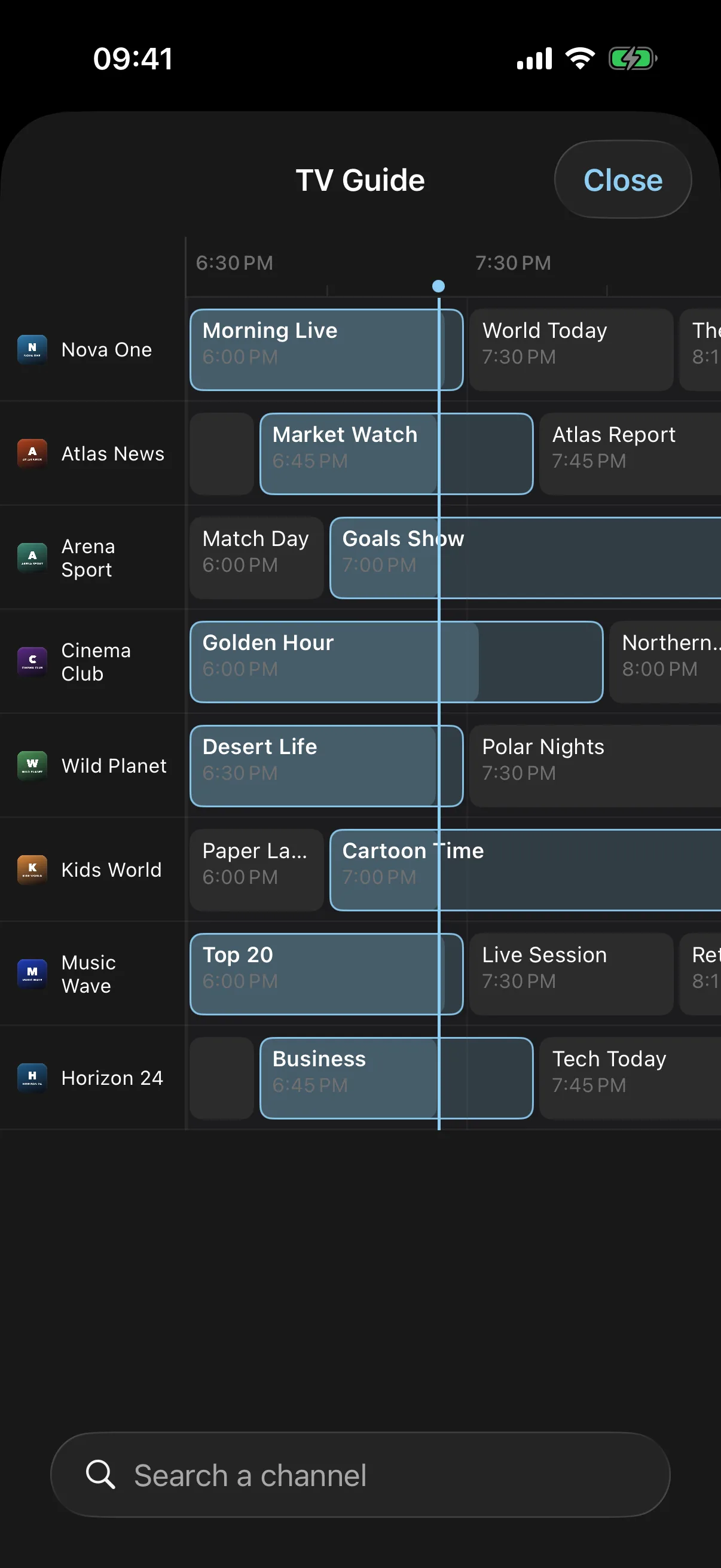
A TV guide in a grid
Channels down the side, programmes along a timeline, loaded from your provider's guide.
Several playlists in one app
Add more than one provider and switch between them.
Favourites and search
Pin the channels you watch and find any channel, film or series in a second.
Audio tracks and subtitles
Pick the language and subtitles when the stream offers more than one.
Chromecast, AirPlay and Picture in Picture
Send a channel to the TV from your phone, or keep watching in a small window over other apps.
Downloads for offline viewing
Download films and series episodes and watch them without a connection, on a plane or the underground.
TiviMate and EDGE IPTV side by side
| TiviMate | EDGE IPTV | |
|---|---|---|
| Devices | Android TV, Fire TV, Android | iPhone, iPad |
| On the App Store | No | Yes |
| Xtream Codes and M3U playlists | Yes | Yes |
| TV guide grid | Yes | Yes |
| Recording and catch-up | Yes | No |
TiviMate information as of October 2026. EDGE IPTV does not record or replay past programmes: if you rely on that, keep TiviMate on your Android TV box and use EDGE IPTV on your iPhone and iPad.
Is there an official TiviMate app for iPhone?
No. TiviMate is built for Android TV boxes, Fire TV sticks and Android devices, and its developer has not released an iOS version. When you search "TiviMate" on the App Store you will still see apps with a similar name: they are other IPTV players, not TiviMate. Check the developer's name on the App Store page before installing one.
What carries over is your playlist. TiviMate, like EDGE IPTV, is only a player: the channels come from your IPTV provider, through an Xtream Codes login or an M3U link. Enter the same details in EDGE IPTV and you get the same channels on your iPhone and iPad.
Free download · 7-day free trial · then $3.99/month or $19.99/year · no ads